PrestaShop 9 brings important changes to the platform, including new technical requirements and a new generation of modules and themes. But upgrading the core is only one part of the process.
The more important question is: will your particular store still work after the upgrade?
Before upgrading a production store, check these five areas.
1. PHP Version
PrestaShop 9 requires PHP 8.1 or higher. Check your current PHP version and make sure your hosting environment supports a version compatible with both PrestaShop 9 and your installed modules.
A PHP upgrade can also expose problems in older or custom code, so don’t treat this as just a server setting.
2. Modules
This is one of the biggest potential risks.
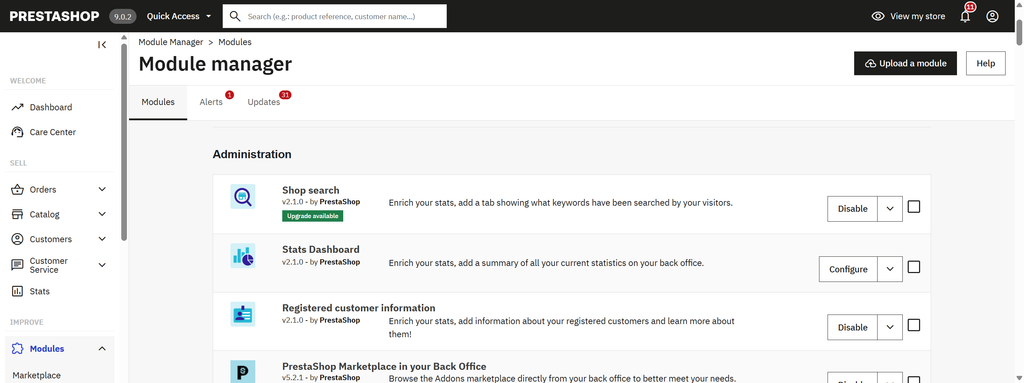
Make a list of all installed modules, not only the ones you actively use. For each important module, check:
- Is it compatible with PrestaShop 9?
- Is the latest version installed?
- Is the module still maintained?
- Does it modify checkout, orders or payments?
- Does it use overrides or custom code?
A single incompatible module can cause problems during or after an upgrade.
3. Theme
Check whether your current theme is compatible with PrestaShop 9.
Pay particular attention to custom themes and themes with modified templates or JavaScript. You don’t necessarily need to change your theme when moving to PrestaShop 9, but you should test your existing one carefully.
4. Overrides and Custom Code
A store with custom development needs extra attention.
Look for:
/overridefiles- modified templates
- custom modules
- custom controllers
- modified core files
- custom JavaScript
Even if all your marketplace modules are compatible, custom code can still create upgrade problems.
5. Critical Integrations
Finally, check everything that connects your store to another system:
- payment providers
- shipping services
- ERP or CRM
- Google and other marketing tools
- marketplaces
- email services
- external APIs
Don’t assume that an integration will continue working just because the PrestaShop upgrade itself succeeds.
Don’t Test Only the Back Office
After upgrading, test the actual customer journey:
Product → Cart → Checkout → Payment → Order confirmation → Email
Also test customer accounts, order management and the most important Back Office workflows.
A successful upgrade is not necessarily a successful store.
What About the PrestaShop Update Assistant?
PrestaShop provides the Update Assistant to help with upgrades and compatibility checks. It should absolutely be part of your upgrade process.
But a technical upgrade check is not the same as checking whether your particular store’s critical business functions are ready.
That’s why I think a simple PrestaShop 9 Readiness Checklist is useful before starting the upgrade.
I’m also considering building a small free PrestaShop 9 Readiness Checker that could automate some of these checks and highlight potential risks before the upgrade.
Need help upgrading to PrestaShop 9?
If your store has custom code, multiple modules or critical third-party integrations, a PrestaShop 9 upgrade can be more complicated than a standard core update.
I can help with the migration: check the store before the upgrade, identify compatibility risks, perform the upgrade and test the critical customer and back-office workflows afterwards.