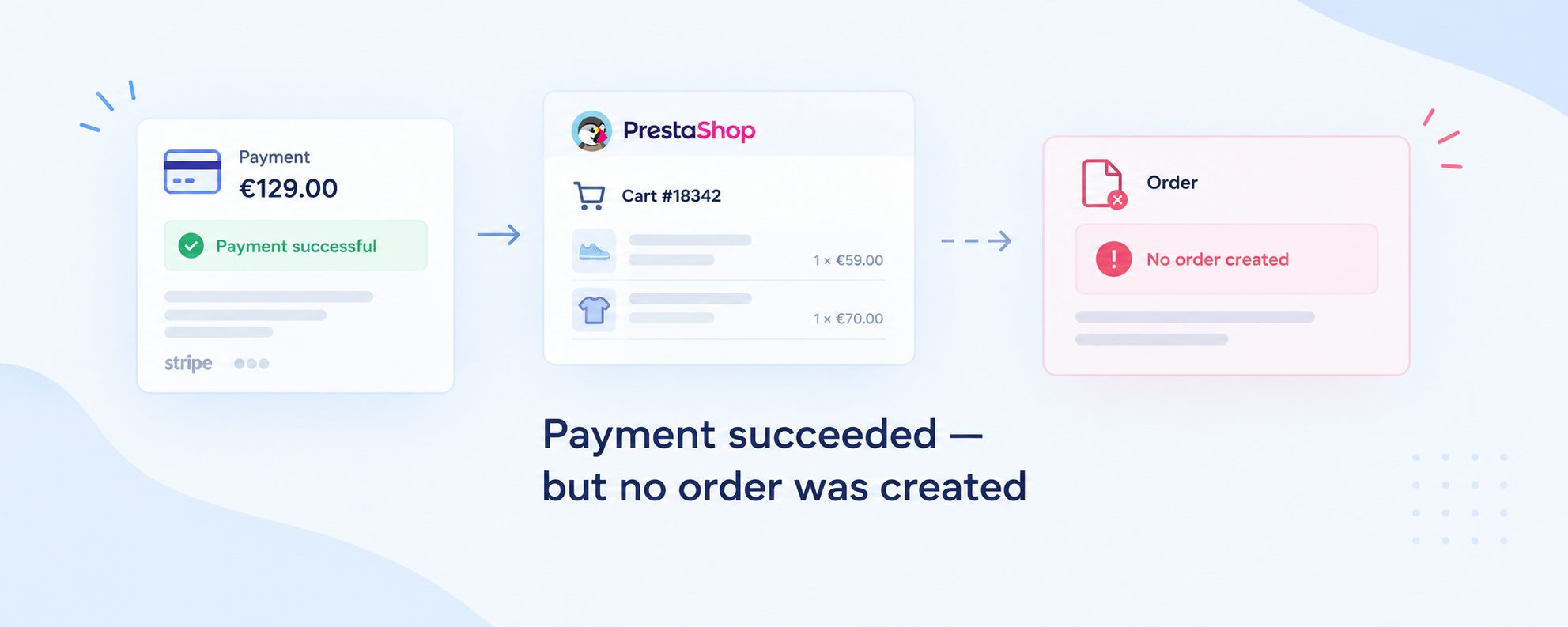
Order not created after a successful payment? Here’s why this can happen with payment modules and how to recover the order without charging the customer twice.
The symptom
The customer completes a payment and their bank or payment provider confirms the transaction. But in the PrestaShop back office, there is no corresponding order.
In some cases, the customer may also be sent to an unexpected order confirmation page.
Your PrestaShop logs may contain an error like:
PaymentModule::validateOrder - Cart cannot be loaded or an order has already been placed using this cartPrestaShop checks that the cart is loaded and that no order already exists for it before PaymentModule::validateOrder() creates an order. If either condition fails, order creation stops.
This is a recurring type of issue seen in PrestaShop support requests, especially when a payment module is involved.
Payment succeeded, but the order is missing? Do these three things first
1. Check your payment provider.
Find the transaction and confirm its amount, currency, customer, transaction/payment ID, and current status.
2. Do not ask the customer to pay again.
Until you know what happened to the original transaction, a second checkout can create a duplicate charge.
3. Find the affected cart.
Look for recent carts with no corresponding PrestaShop order, then compare them with the payment provider’s transaction records and your PrestaShop logs.
The SQL and recovery steps are below.
Why does this happen?
This message does not have one single cause.
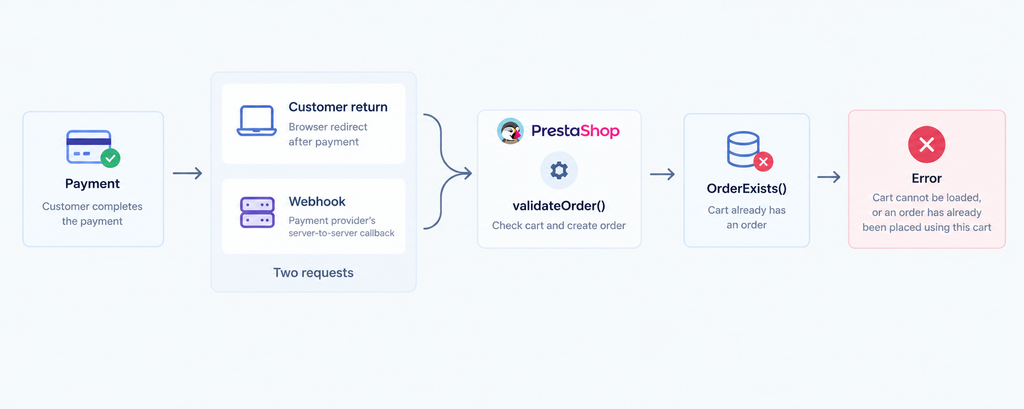
One established cause is that two requests try to process the same cart, or a payment callback arrives after another request has already created the order. The second request then reaches the OrderExists() check and PrestaShop refuses to create another order. The guard is intentional: it helps prevent duplicate orders.
1. Two requests reach the same cart
A payment flow can involve several requests. For example, the customer may return from the payment page while the payment provider is also sending a server-to-server callback.
If both paths reach order validation for the same cart, the first request can create the order and the second can hit OrderExists().
The exact sequence depends on the payment module, so check its callback and server logs before concluding that the redirect and webhook collided.
2. A payment callback is repeated
Payment providers can retry webhooks, and related payment events can arrive at different times.
A payment module should process these events idempotently: once a payment has already been turned into an order, another callback for the same transaction should not try to create it again.
The exact event sequence depends on the provider. With Stripe, for example, requires_action, succeeded, and requires_capture represent different PaymentIntent states. A single event name is not enough to determine whether a payment was successfully completed.
Instead, compare the provider’s payment ID and webhook history with the cart and order records in PrestaShop.
3. The cart itself cannot be loaded
The same error is also used when PrestaShop cannot load the expected cart:
!Validate::isLoadedObject($this->context->cart)So a validateOrder() error can also point to a cart-state problem rather than a repeated payment request.
What about seeing another customer’s order confirmation?
Treat this as a separate symptom.
PrestaShop’s OrderConfirmationController checks the order’s secure_key against the key supplied in the confirmation URL before showing the confirmation page.
If a customer genuinely sees another customer’s order confirmation, inspect the cart ID, order ID, confirmation URL, secure_key, session/cookie handling and payment module flow. The validateOrder() error alone does not establish the cause.
Find affected carts without installing anything
The first check can be done directly against the PrestaShop database.
Replace ps_ with your actual table prefix:
SELECT
    c.id_cart,
    c.id_customer,
    c.id_guest,
    c.id_shop,
    c.date_add,
    c.date_upd
FROM ps_cart c
LEFT JOIN ps_orders o ON o.id_cart = c.id_cart
WHERE o.id_order IS NULL
  AND c.date_upd > NOW() - INTERVAL 48 HOUR
ORDER BY c.date_upd DESC;
This returns candidate carts, not failed or successful payments. Most carts without orders are simply abandoned carts.
Check each candidate
1. Compare it with the payment provider
Look for a transaction with matching:
- amount and currency;
- customer;
- payment method;
- approximate timestamp;
- transaction/payment ID.
A successful transaction matching a cart with no corresponding order is the important case.
2. Check PrestaShop logs
Go to:
Advanced Parameters → Logs
Look around the payment timestamp for:
PaymentModule::validateOrder
Cart cannot be loaded or an order has already been placed using this cart
Also check for errors from the payment module itself.
3. Check the payment state
Make sure the gateway shows an actual completed payment, not an intermediate authorization or pending state.
For example, in Stripe, requires_capture means that a payment has been authorized but not yet captured.
How to recover the order safely
Do not send the customer through checkout again.
First confirm that there is an existing transaction and determine its exact status.
Step 1: Confirm the payment
In the payment provider’s dashboard, verify:
- transaction/payment ID;
- amount and currency;
- customer;
- final payment status;
- captured vs. authorized state.
Step 2: Create the order in PrestaShop
PrestaShop’s back office lets you create an order manually and use one of the customer’s abandoned carts as its basis.
Before creating it, verify:
- products and quantities;
- prices and discounts;
- shipping method;
- taxes;
- customer;
- delivery and invoice addresses.
Step 3: Record the existing payment
Once the correct order exists, add the payment manually in the order’s payment section and use the original gateway transaction ID as the reference.
PrestaShop supports adding a payment manually and storing its transaction identifier with the order.
This records the payment in PrestaShop; it does not initiate another transaction with the gateway.
Step 4: Do not charge twice
If the gateway shows an authorized payment that has not yet been captured, follow the gateway’s normal capture workflow for that existing transaction.
Do not create a second payment just because the first payment did not produce an order in PrestaShop.
How developers should prevent the problem
Make payment callbacks idempotent
Before creating an order, the module should determine whether the payment has already been processed.
Checking only:
$cart->OrderExists()is not enough for a robust payment integration. The provider’s transaction/payment identifier should also be used so that repeated callbacks can be recognized and acknowledged without creating another order.
Treat repeated callbacks as normal
Webhooks can be retried and related events can arrive more than once. A payment module should handle those cases without trying to validate the same payment again.
Keep the customer return separate from payment confirmation
The customer returning from the payment page should not automatically be treated as proof that the payment succeeded.
Where possible, the payment provider’s server-side confirmation should determine the payment state, while the return flow displays the current order/payment state.
Preserve the correct cart and security data
When a module calls validateOrder(), it must use the correct cart and its security key. PrestaShop checks the cart’s secure_key during order validation, and the order-confirmation controller checks the order’s key before displaying the confirmation page.
If this keeps happening
One isolated occurrence may require investigation.
Several occurrences every day are an operational problem. We regularly see support questions around payment transactions that appear successful at the gateway while the corresponding PrestaShop order is missing or requires manual recovery.
At that frequency, manually comparing payment-provider transactions with PrestaShop carts and orders is not a sustainable recovery process.
The useful question becomes:
Which checkouts are turning into potential lost orders, and how can you identify them quickly?
That is where a review of the payment module, cart/order lifecycle and gateway callbacks can help.
Need help tracing a recurring payment/order problem?
I can inspect your PrestaShop carts, orders and logs together with the payment module flow to determine whether the problem is caused by repeated callbacks, order-validation logic, cart state or another integration issue.