
An affiliate program sounds simple: someone recommends your store, a customer makes a purchase, and the partner earns a commission.
But generating referral links is the easy part.
What happens when a customer cancels an order? How do you prevent commissions from being paid twice? And how do you track which partner brought the customer in the first place?
These details matter more than the referral link itself.
Let’s go through the process of setting up an affiliate program in PrestaShop, from tracking referrals to handling payouts.
Affiliate Program vs Referral Program
Affiliate and referral programs both reward people for bringing customers to your store, but they serve slightly different purposes.
A referral program typically rewards existing customers for inviting friends. Rewards might include discount vouchers, loyalty points, or free shipping.
An affiliate program focuses on partners who promote your products in exchange for monetary commissions.
For example:
- A customer invites a friend and receives a €10 voucher.
- A blogger recommends your products and earns 5% from qualifying purchases.
The underlying idea is similar, but managing cash commissions introduces additional requirements: order tracking, commission statuses, refunds, and withdrawals.
I’ve covered customer referrals separately in How to Reward Customers for Referring Friends in PrestaShop.
Here, we’ll focus on affiliate commissions and payouts.
Does PrestaShop Support Affiliate Programs?
PrestaShop 8 includes a built-in Referrers feature under Shop Parameters → Traffic.
It provides basic traffic and sales tracking, along with commission configuration.
For a small arrangement with a few partners, that may be sufficient.
However, running a full affiliate program usually requires more: personal referral links, partner accounts, commission histories, and withdrawal requests.
That’s what my Referral & Affiliate Program module is designed to handle.
Here’s how to approach the setup.
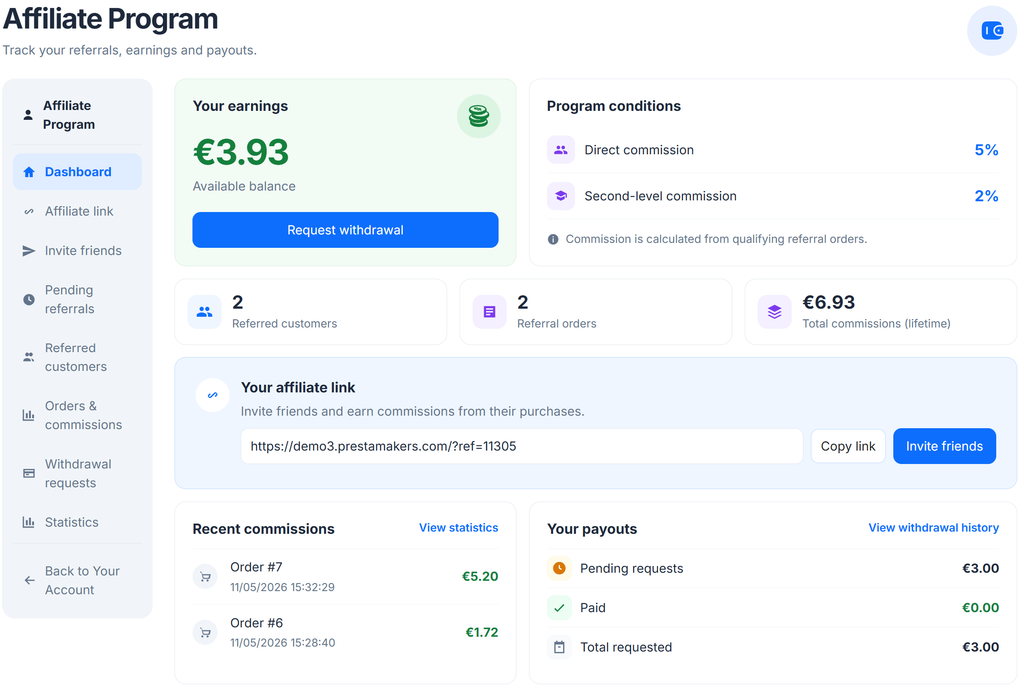
Step 1: Configure Affiliate Commissions
Start by defining how partners earn money.
The simplest approach is a percentage of qualifying sales.
For example, a customer purchases €120 worth of products through an affiliate link. With a 5% commission, the partner earns €6 if the entire amount is eligible.
Before enabling commissions, check the calculation rules:
- Is the commission based on the order total or eligible products?
- Are taxes and shipping included?
- Can partners have different commission rates?
- Which order statuses qualify for a commission?
These details determine how much the store actually owes its partners.
Keep the initial structure simple. One clear commission model is easier to manage and explain than several overlapping rules.
Step 2: Create Affiliate Links
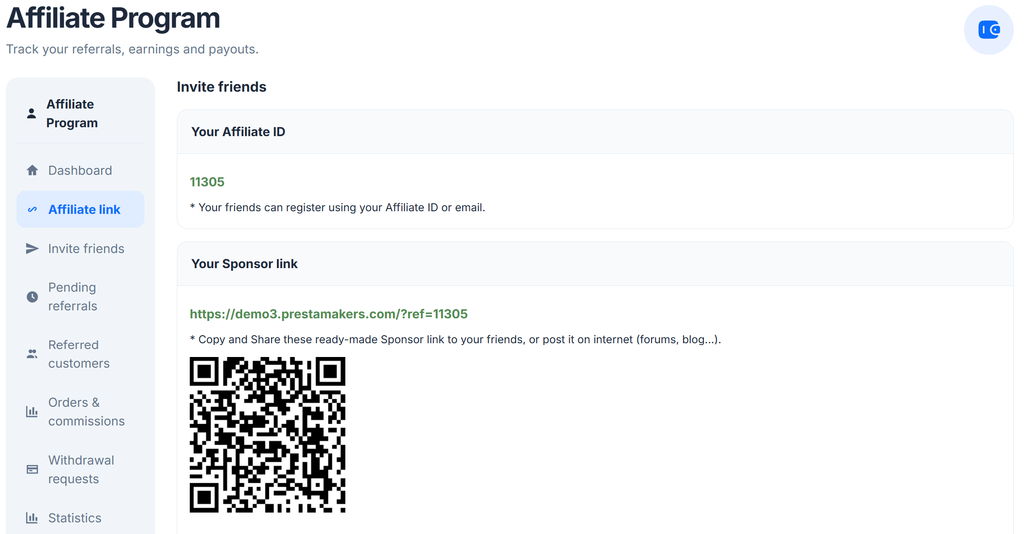
Every affiliate needs a way to identify the customers they bring to your store.
A referral link contains a partner identifier. When someone follows the link, the tracking system records the referral information.
If that visitor later makes a qualifying purchase, the order can be attributed to the partner.
But opening the correct product page doesn’t prove that tracking works.
Test affiliate links using two different accounts:
- An affiliate account that generates and shares the link.
- A customer account that follows the link and places an order.
Use a separate browser session for the customer.
Also test what happens when the customer leaves the store and returns later.
Check the attribution period and what happens if the customer follows links from two different partners.
These cases determine who receives the commission and help prevent disputes later.
Step 3: Track Orders and Commissions
A referred order doesn’t always become a completed sale.
Consider this scenario:
- A customer follows an affiliate link.
- They place a €100 order.
- The system records a potential €5 commission.
- The customer cancels the order.
The partner shouldn’t receive a commission for a sale that never happened.
The same principle applies to refunded orders.
Don’t make commissions available for payout until the orders meet your eligibility rules. If your store has a return period, account for it before releasing the money.
Keep commission states separate:
- Pending: The order has been recorded, but the commission isn’t ready for payment.
- Available: The commission meets the program’s payout conditions.
- Paid: The commission has been included in a processed payout.
- Cancelled: The commission is no longer payable.
These are the states a reliable affiliate workflow needs to distinguish, even if the module uses different labels.
Test how your chosen module actually handles order status changes and refunds. Don’t assume that cancelling an order automatically reverses its commission.
Step 4: Handle Affiliate Payout Requests
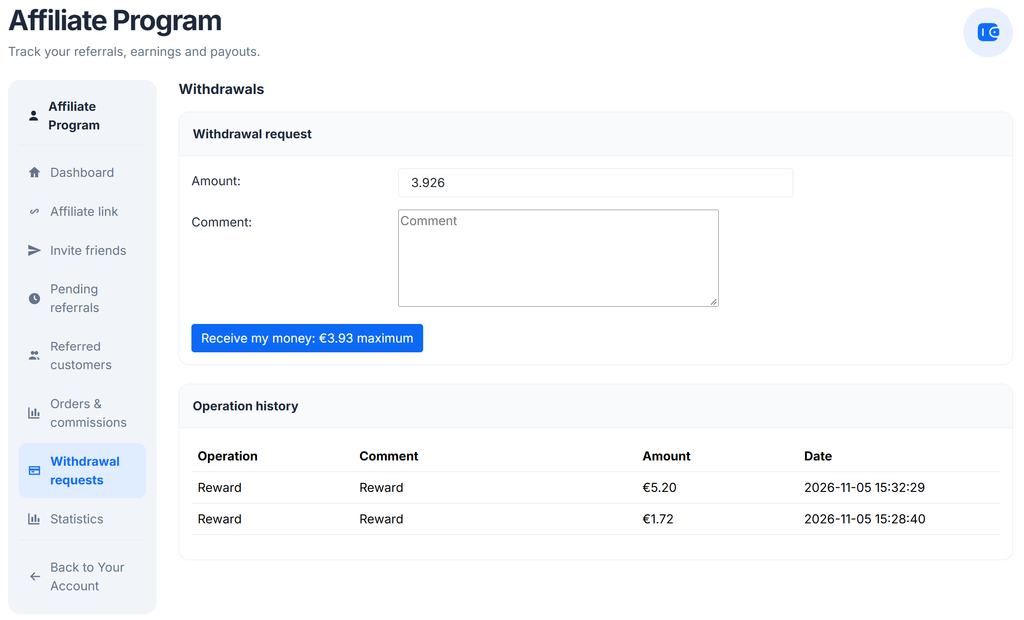
Tracking commissions is only half of an affiliate program. Partners also need a way to receive their earnings.
A typical workflow looks like this:
Qualifying order → Commission available → Withdrawal requested → Payment processed
Keep available commissions separate from amounts already paid.
For example, a partner may have €50 in recorded commissions, but only €35 may be eligible for withdrawal because some orders are still pending.
Before processing a payout:
- Check that the commissions are eligible.
- Verify that refunded or cancelled orders aren’t included.
- Confirm the partner’s payment details.
- Record the payment so the same amount cannot be withdrawn twice.
You can process payments manually at first. There’s no need to automate bank transfers or payment-provider integrations just to launch a small affiliate program.
A payout request system allows partners to request their earnings while the store owner controls when the payment is processed.
Step 5: Test the Complete Affiliate Flow
Before inviting partners, test the entire process from beginning to end.
- Create a test affiliate account.
- Generate a personal referral link.
- Open it in a separate browser session.
- Place an order using a different customer account.
- Verify that the order is attributed to the correct partner.
- Check the commission calculation.
- Change the order status and check the commission again.
- Test a cancellation or refund.
- Submit a withdrawal request using an eligible commission.
- Verify that the payout is processed and recorded correctly.
Pay particular attention to refunds and repeated actions.
A customer refreshing the checkout page or an administrator updating an order status shouldn’t produce duplicate commissions.
Also test what happens when a payout request is rejected or cancelled. The accounting must remain consistent.
A working referral link is only the beginning. The real test is whether the commission balance stays correct throughout the order lifecycle.
Set Clear Rules for Your Partners
Before launching the program, explain the essential conditions to your affiliates:
- Which orders qualify for commissions?
- When do commissions become available?
- What is the minimum withdrawal amount, if any?
- How often are payments processed?
- What happens when an order is cancelled or refunded?
Also explain which promotion methods are allowed and what advertising disclosures partners must provide.
Clear rules prevent misunderstandings, especially when a partner expects a commission that the store considers ineligible.
Final Thoughts
An affiliate program isn’t just about generating links and counting clicks.
The important part happens after the customer places an order: attributing the sale, calculating the correct commission, handling refunds, and paying the partner without duplicating transactions.
For basic tracking, PrestaShop’s built-in Referrers feature may be sufficient.
For a more complete partner workflow, my Referral & Affiliate Program module for PrestaShop brings referral tracking, commissions, and payout requests into one system.
Start with one test affiliate and a few orders. Verify the entire process, including cancellations and withdrawals, before opening the program to real partners.
Getting the commission logic right is much more important than having dozens of referral links.