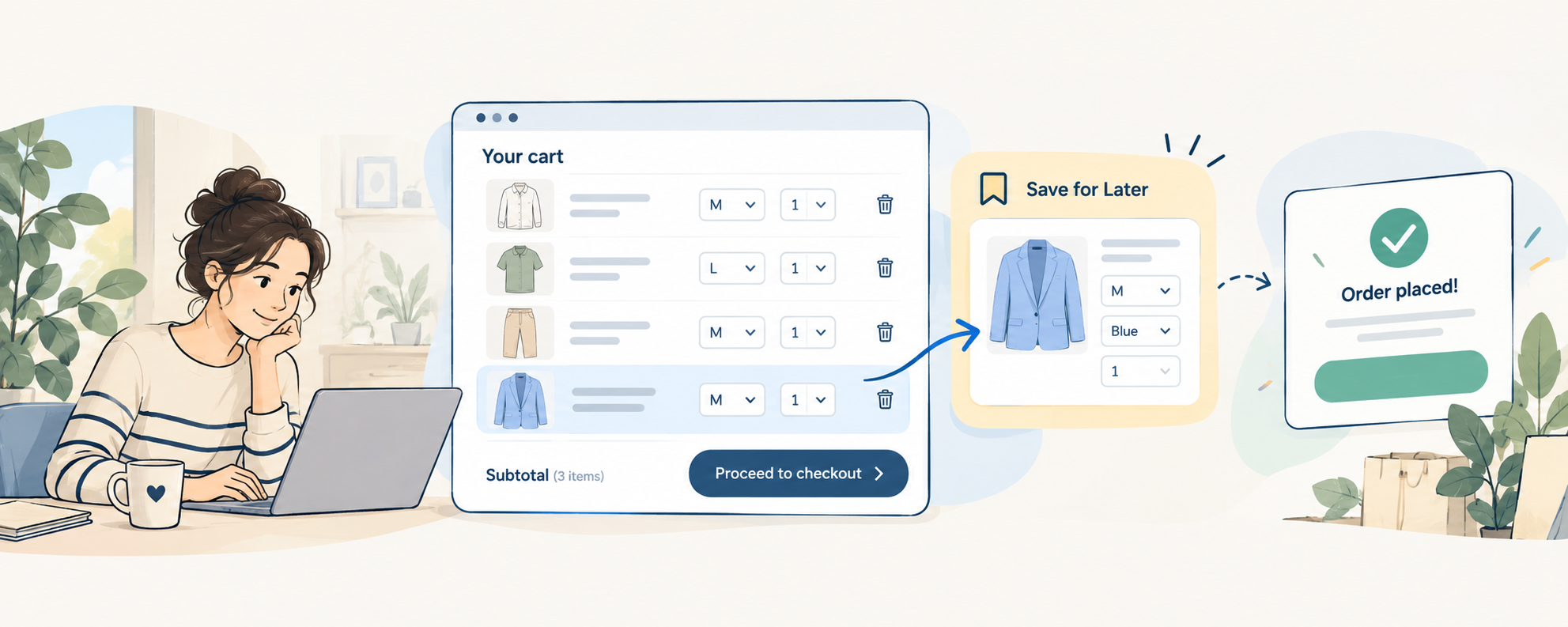
When a customer removes a product from their PrestaShop cart, it doesn’t always mean they’ve lost interest. Sometimes they want to buy some items now and keep others for another day. A Save for Later option lets them move products out of the cart without losing their selection.
I think this situation gets overlooked when we talk about abandoned carts.
Imagine a customer shopping for clothes. They add two shirts, a pair of trousers, and a jacket to their cart.
Then they look at the total.
The jacket can wait until next month. So they remove it, buy the other three items, and leave.
The order is completed. Nothing was abandoned.
But what happened to the jacket?
Not every removed product is an abandoned cart
When we talk about cart abandonment, we usually imagine someone adding products to a cart and leaving the store without buying anything.
Maybe shipping was too expensive. Maybe they got distracted. Maybe they were comparing prices.
But removing one product while buying the others is a different situation.
The customer may have already chosen a particular size, color, and quantity. They simply aren’t ready to pay for it yet.
And if their only options are Buy now or Remove, they have to give up that selection to finish the order.
Of course, not every removed product represents a future sale. Sometimes people really do change their minds.
But wouldn’t it be useful to give those who are still interested another option?
What if the cart had a third option?
Instead of removing the product, the customer could choose Save for Later.
The product moves out of the active cart, so it no longer affects the current order total. But it stays in a saved list, ready to be added back when the customer wants it.
For the customer with the jacket, the process becomes:
Add to cart → Save for Later → Complete the order → Return to the saved jacket.
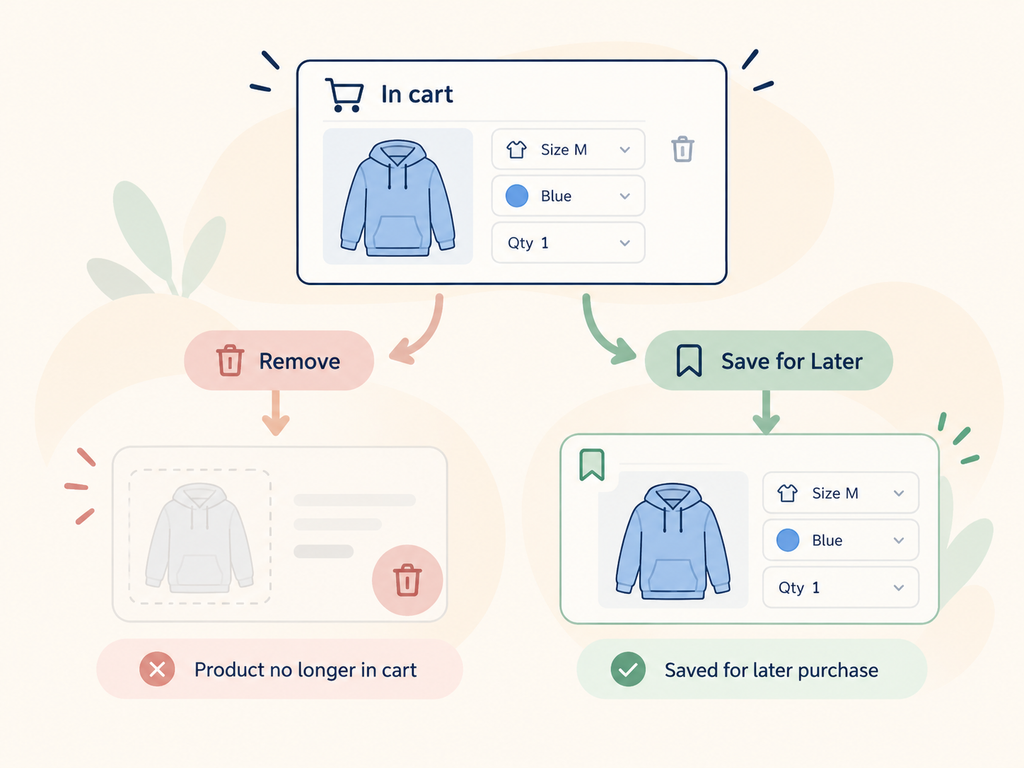
No need to search for the product again.
This is the problem I wanted to address when I added Save for Later to my Advanced Wishlist module for PrestaShop. Customers can move products out of the cart and return them later. The module also saves selected combinations and quantities, so they don’t have to start over. You can see how it works on my PrestaShop Wishlist & Save for Later page.
Isn’t that what a wishlist is for?
Yes, partly.
A regular wishlist is useful when someone finds something interesting but isn’t ready to buy it. They click a heart icon, save the product, and continue browsing.
But Save for Later starts at a different moment.
The customer has already added the product to the cart. They may have selected the exact variation and quantity they want. Now they’re deciding what to buy today.
I wouldn’t want them to go back to the product page, add it to a wishlist, and then remove it from the cart manually.
That’s three actions for something that could be done with one.
A wishlist helps customers remember products they’re interested in. Save for Later helps them postpone part of an already planned purchase.
They work well together, but solve slightly different problems.
Don’t forget the size and color
There is another detail that’s easy to miss.
Suppose someone saves a jacket in blue, size M.
If they return next week and the saved item only takes them to the general product page, they have to choose everything again.
It gets even more annoying with products where customers need a specific quantity.
Saving the product alone isn’t always enough. The selected combination and quantity matter too.
Of course, saving a product doesn’t reserve it. The price or stock availability may change before the customer returns.
But at least they don’t have to remember which variation they originally wanted.
Does every store need Save for Later?
Probably not.
If customers usually buy one product at a time, a regular wishlist may be enough.
But for stores where people add several products, compare options, or plan purchases over time, I think it makes sense.
Clothing, home improvement supplies, furniture, and hobby products are a few examples where customers might want some items immediately and others later.
I wouldn’t assume that adding a Save for Later button will automatically increase conversion. You would need to measure whether shoppers actually use it and return to those saved products.
What I like about this approach is that it gives customers a choice that a normal cart often doesn’t offer.
They don’t have to decide between buying everything and forgetting the things they aren’t ready to buy.
Sometimes “not now” doesn’t have to mean “remove.”